Credit Cards
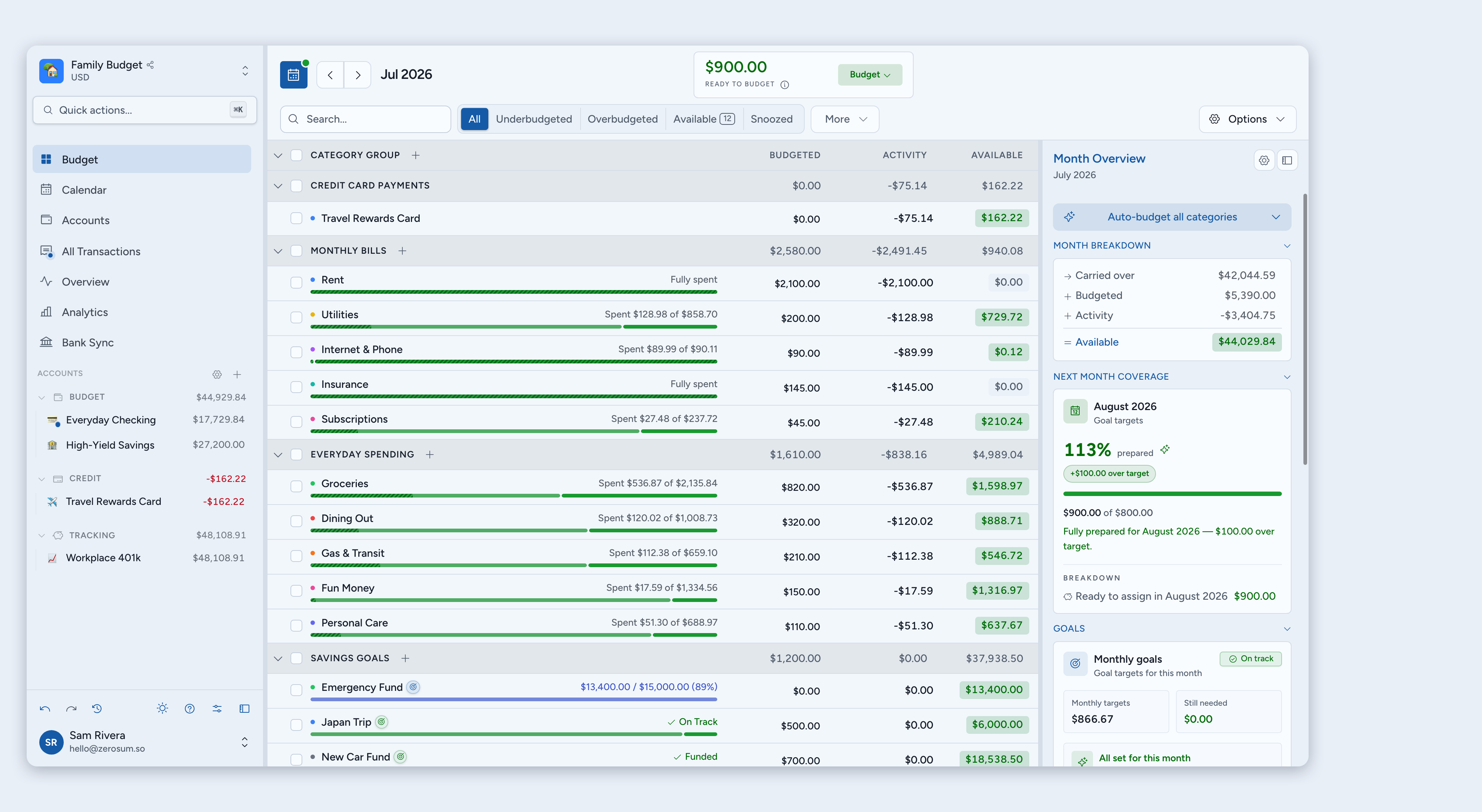
Two ways to handle credit cards in Zerosum: the simple Budget Account model, or a Credit Card Account with auto payment-tracking. Pick the one that fits how you use the card.
Written By Pedro
Last updated About 1 month ago
Zerosum gives you two ways to handle credit cards. Most people only need one; pick whichever matches how you actually use the card. If you change your mind later, you'll close the account and add it back as the other type.
Two ways to handle credit cards
💡 Tip: If you always pay your full balance, start with the Budget Account model; it's simpler. If you carry a balance month to month, pick the Credit Card Account model; it isolates the debt into a payment envelope so it doesn't pull down your Ready to Budget while you pay it off.
Pick your model
Budget Account: the simple model
Treat the card like a checking account. Purchases are normal categorized spending, and payments are plain transfers.
- Best if you pay the full balance most months.
- Fewer concepts to learn, no extra category per card.
- Debt you carry pulls down your Ready to Budget.
Set up the budget-account workflow
Credit Card Account: auto payment tracking
Money moves to a dedicated payment envelope every time you spend, so the debt is isolated and doesn't drag down your Ready to Budget.
- Best if you carry debt month to month.
- Card debt stays out of Ready to Budget while you pay it off.
- Adds one auto-managed category per card.
- See what you owe via the card balance plus the Payment category's Available for payment.
Set up the payment-tracking workflow
Using bank sync?
If credit-card amounts import with charges and payments reversed, open Lunch Flow from Bank Sync, select the card account, then go to Settings → Amounts and enable the amount-direction flip.
Changing your mind later
There's no automatic conversion. To use the other model on a card you've already added:
- Pay the card down, or transfer the balance to a Loan account if you'd rather pay it off as a project.
- Close the existing card account.
- Add it again with the other type.
Past transactions stay on the closed account; new spending lives on the new one.