Credit cards as Budget Accounts
The simple credit-card model in Zerosum: add the card as a Budget account, categorize spending normally, and pay it with transfers. Best if you pay in full most months.
Written By Pedro
Last updated About 1 month ago
The simplest way to handle a credit card in Zerosum: add it as a Budget account, categorize spending like any other purchase, and pay it with transfers. This is the right model if you pay your card in full most months.
This is one of two ways to handle credit cards. If you'd rather have a dedicated payment envelope with an auto-move flow, see Credit Card accounts.
How it works
The card isn't a special account type. Treat it like any other budget account.
- Card purchases are regular categorized spending.
- Payments are regular transfers from another budget account to the card.
Add the card
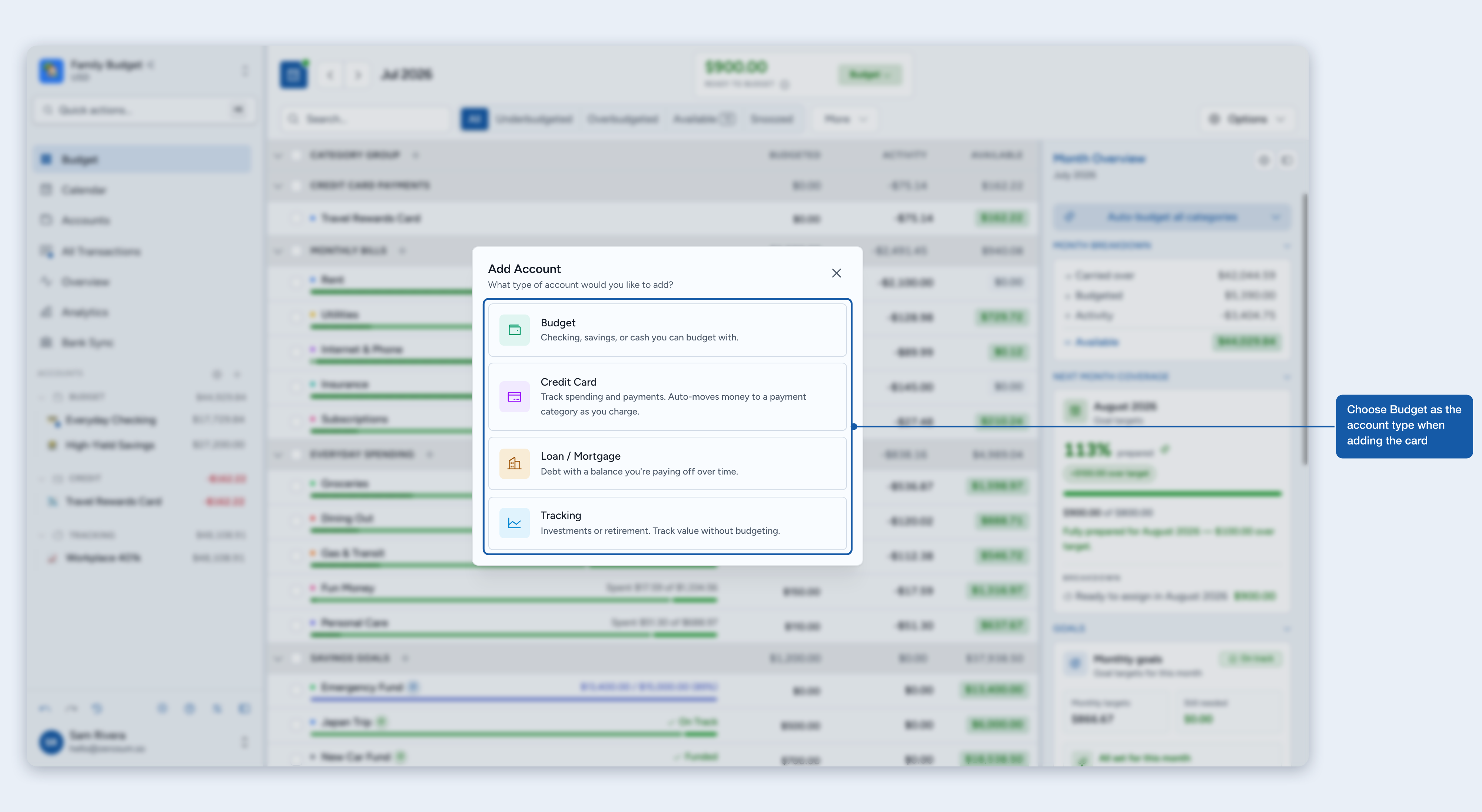
- Click "Add Account". Open the account dialog from the sidebar.
- Choose "Budget". Use Budget for cards you want to treat like checking.
- Pick how you'll add it. Choose Manual to enter transactions yourself, or a bank-sync option to link the card automatically.
- Enter your initial balance. Negative if you owe money today, zero if it's paid off.
- Click "Add account". Categorize purchases from the card like any other spending.
If you pay in full
The monthly flow is three steps:
- Budget: fund your categories before spending.
- Spend: record card purchases in the right categories.
- Pay: transfer money from checking to the card.
If you carry debt
Same mechanics. Your card balance can stay negative across months until you pay it down.
ℹ️ Important: A negative card balance pulls down your Ready to Budget by exactly the amount you owe; that money is already spoken for against the debt. As you pay the card down, Ready to Budget recovers. To keep the debt out of your monthly budget, isolate it in a Credit Card account or a Loan account.
A practical payoff plan
- Keep new spending categorized normally. Groceries, transport, and subscriptions all stay in their real categories.
- Pick a fixed monthly paydown amount you can sustain every month.
- Transfer that amount to the card each month. Payments reduce the card balance directly.
Interest lands as a normal card transaction in this model. Give it a dedicated category (Interest & Fees works well) and fund it monthly alongside your paydown amount.
Paying down legacy credit-card debt
Carrying significant card or line-of-credit debt that you'd rather pay off as a project? Move it to a Loan account.
- Create a Loan account. Its starting balance equals the card's current negative balance. Pick a category as its linked payment category.
- Close the credit-card account. Zerosum auto-adjusts the balance to $0. The adjustment goes to Ready to Budget, offsetting the removed debt.
- Pay down the Loan each month. Fund the loan's payment category, then record payments from the loan detail page. Zerosum tracks balance, interest, and payoff.
Your monthly budget stays focused on current spending while the Loan account handles the debt with interest tracking. See Working with loans for the full workflow.
Refunds and positive balances
If you get a refund on the card, record it in the same category as the original purchase whenever possible. If a card balance becomes positive, the issuer owes you money (a credit balance), and future spending consumes that credit first.
Importing from another app
From YNAB, the wizard offers a per-card toggle in the Review Accounts step: Credit Card account is the default, Budget account is the opt-in. Cards you toggle to Budget land on this model, with spending categories preserved and the card balance imported as a negative starting balance.
From Actual, every card imports as a Budget account, because Actual's data model doesn't distinguish credit cards.
If your Ready to Budget is deeply negative after import, see Paying down legacy credit-card debt above, or re-add the card as a Credit Card account to isolate the debt from Ready to Budget.
Where to next
- Credit Card accounts: the auto-tracking payment-envelope model.
- Working with loans: pay off big balances as a project.