Get started with Zerosum
Set up your zero-based budget in 15 minutes. Add accounts, create categories, budget every dollar a job, and build a weekly reconcile rhythm.
Written By Pedro
Last updated About 1 month ago
Set up a zero-based budget in about 15 minutes: add your accounts, create categories, give every dollar a job, then track and reconcile.
1. Add your accounts
Start with the money you spend day to day. You can always add more later.
Add these
- Checking
- Savings
- Credit cards
- Cash, if you use it
Skip for now
- Retirement (401k, IRA): add later as a Tracking account
- HSA: add later as a Tracking account
- Active loans: add later as a Loan account
- Click Add account in the sidebar.
- Choose the account type and enter a name.
- Enter the current balance. For checking, savings, and cash accounts it goes straight to Ready to Budget. Credit-card and tracking balances are recorded as-is and do not add to Ready to Budget.
💡 Tip: Connect a bank for automatic import, or skip and add transactions manually. You can switch later.
2. Set up categories
Categories are where your money lives between getting paid and spending it.
- Answer a few questions: pick a lifestyle and we generate a full category list you can edit.
- Start from scratch: build your own when you already know what you want.
💡 Tip: Related categories can live under a group (Housing, Fun, Subscriptions). Groups collapse together, handy once you have more than ten categories.
3. Give every dollar a job
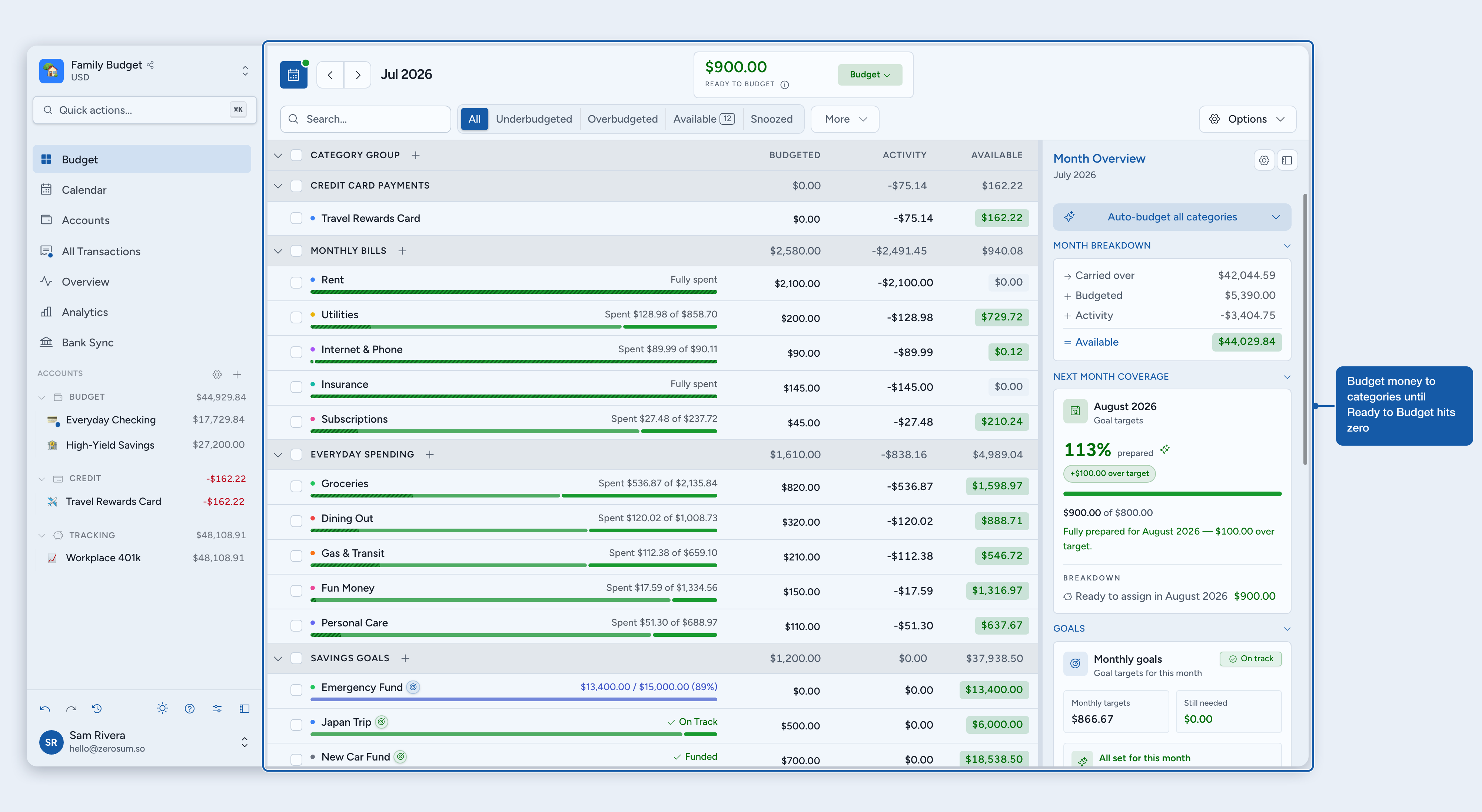
Budget your money to categories until Ready to Budget reaches zero. Click into a category and type how much it gets this month. Keep going until Ready to Budget hits $0.
ℹ️ Only budget money you already have. Don't pre-spend next week's paycheck.
4. Track and reconcile
Record what you spend, clear it against the bank, and lock in the month. Three ways to add transactions:
- Type it: add transactions manually. Fastest on mobile.
- Import a file: upload CSV, OFX, QFX, or QIF from your bank.
- Bank sync: connect once and transactions flow in automatically.
The rhythm: Budget income → Spend → Clear → Reconcile.
💡 Tip: Reconcile weekly to catch issues while they're fresh.
You're set
Every dollar has a job. Keep the rhythm and you're done. Where to next?
- Goals: target dates and amounts for what matters.
- Credit cards: two models; pick the one that fits how you use the card.
- Analytics: spending trends and net worth over time.
- Sharing: bring in your partner or family.